Item Bank
The Vanilla Mu Item Bank serves as a secure repository where you can safeguard and manage your valuable collection of harvested jewels and other precious resources.
This innovative feature empowers you with the freedom to access and utilize your stored items effortlessly, regardless of your location or situation. Whether you're in the midst of an epic quest or exploring uncharted territories, the Item Bank ensures that your hard-earned treasures are readily available at your disposal, enhancing your adventures and enabling you to make the most of your gaming experience.
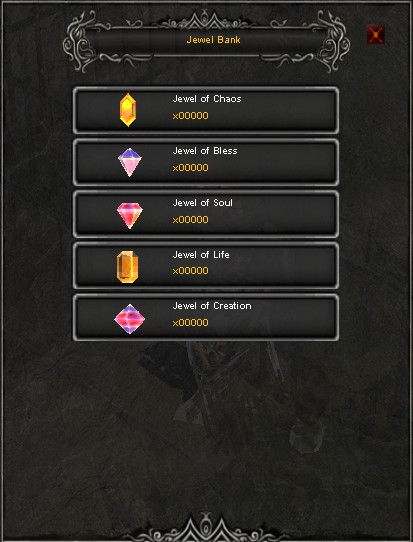
Item Bank
Press the J key on your keyboard to toggle the Item Bank module on or off at any time during gameplay.
When you open the Item Bank, you gain the ability to browse through various types of jewels and view the quantity you have stored. By clicking on a specific jewel, you'll be directed to a section where you can deposit or withdraw as many as you desire. Whether you wish to withdraw them individually or in a bundle, the choice is yours.
Press Ctrl + Right-Click on the item to deposit it.
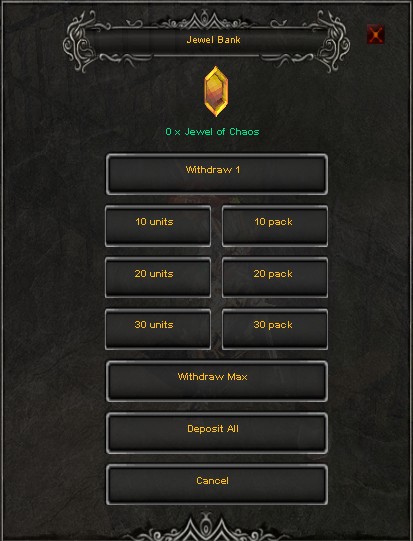
Item Bank Deposit/Withdraw